How to Create Point Based Rubric?
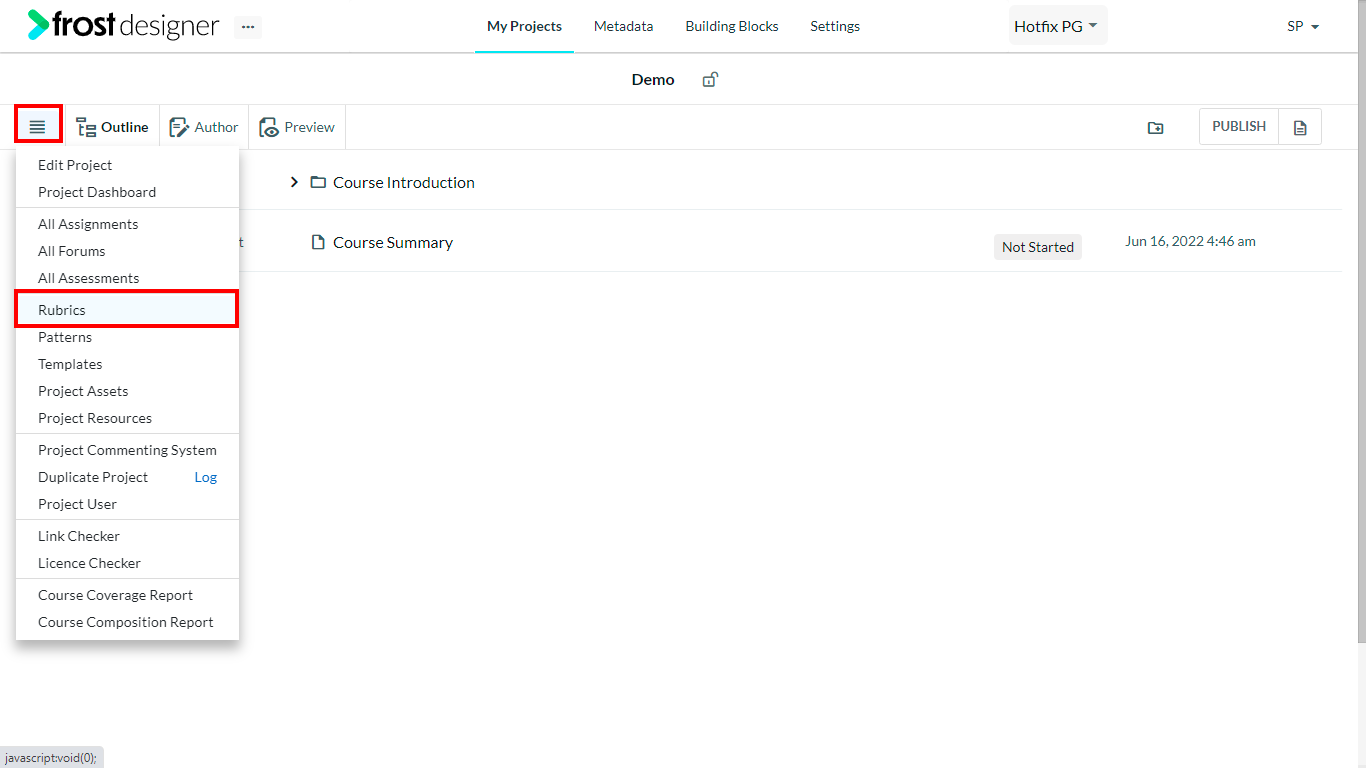
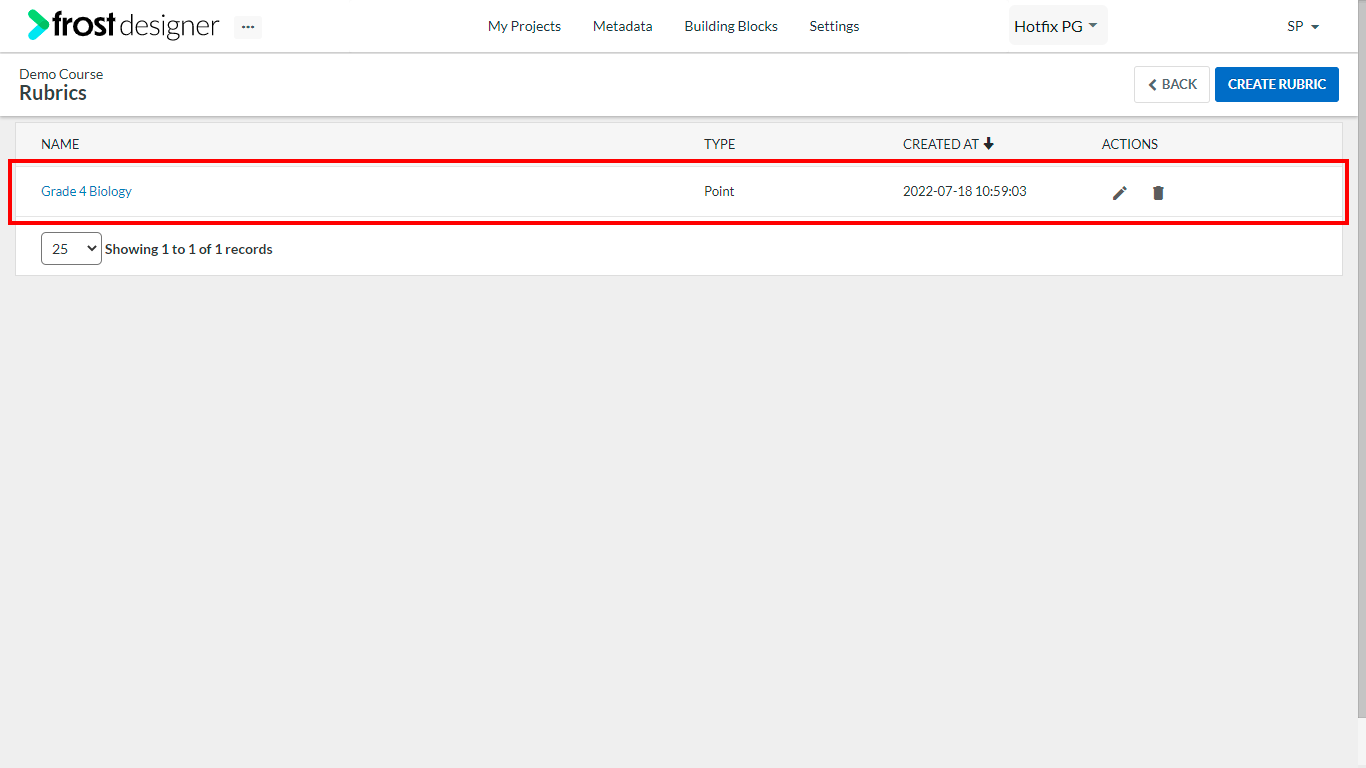
- From the Project Dashboard, click on the Project Navigation menu and select Rubrics.
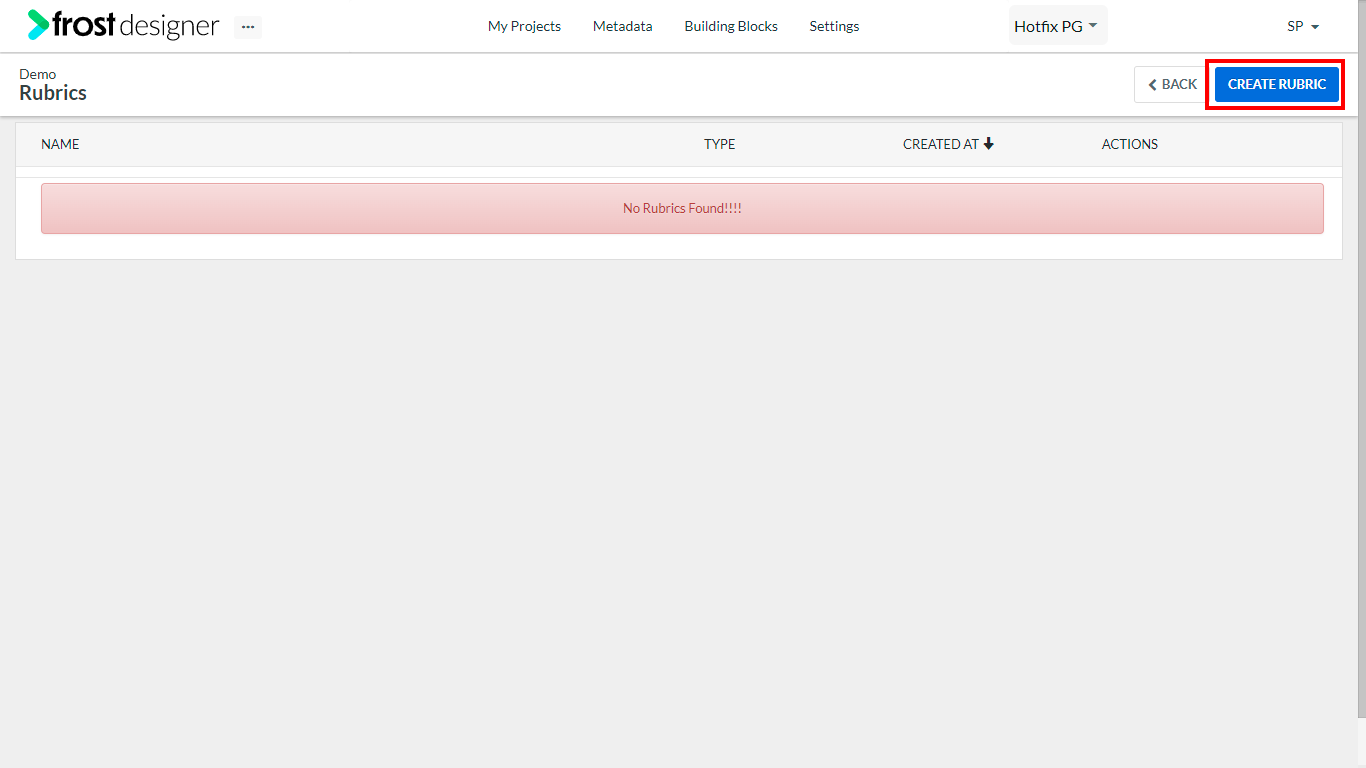
- To create a new rubric based on points, click the Create Rubric button on the top right corner of the Rubrics screen.
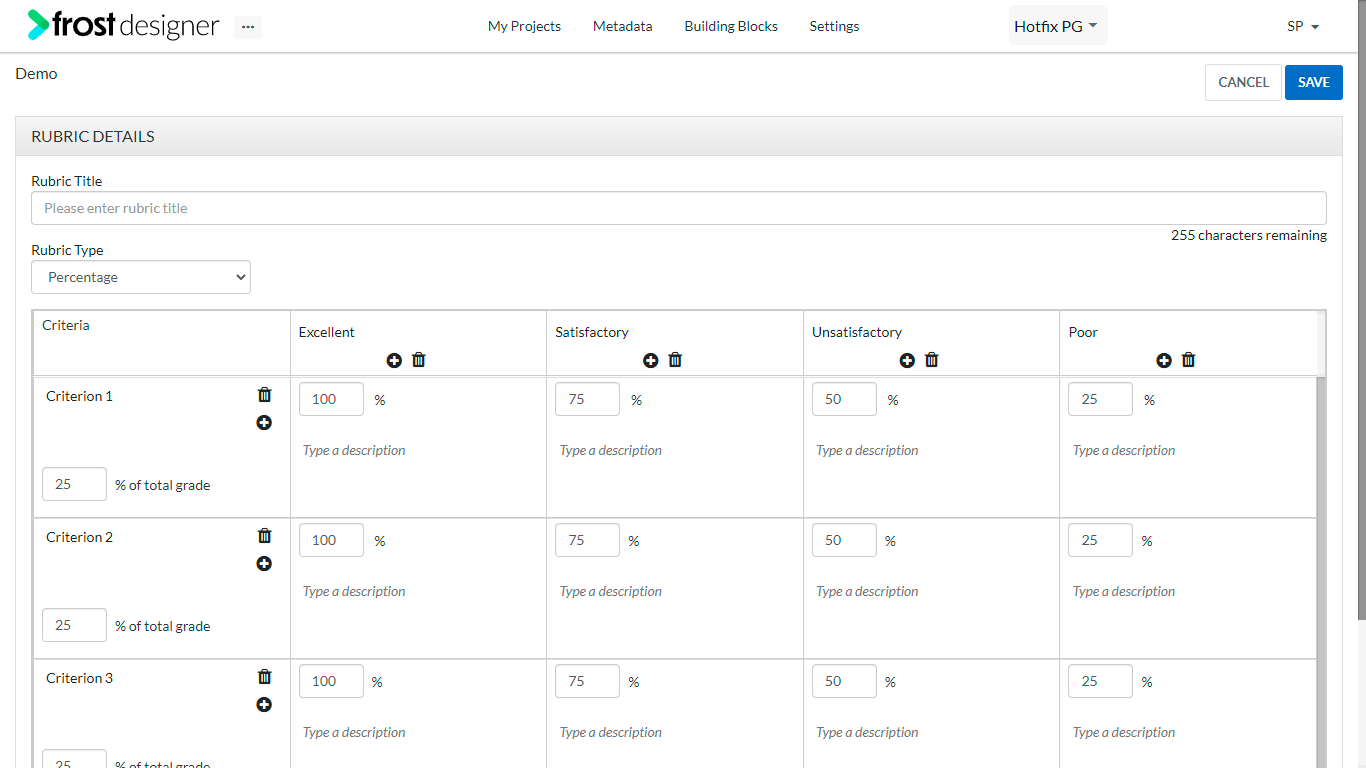
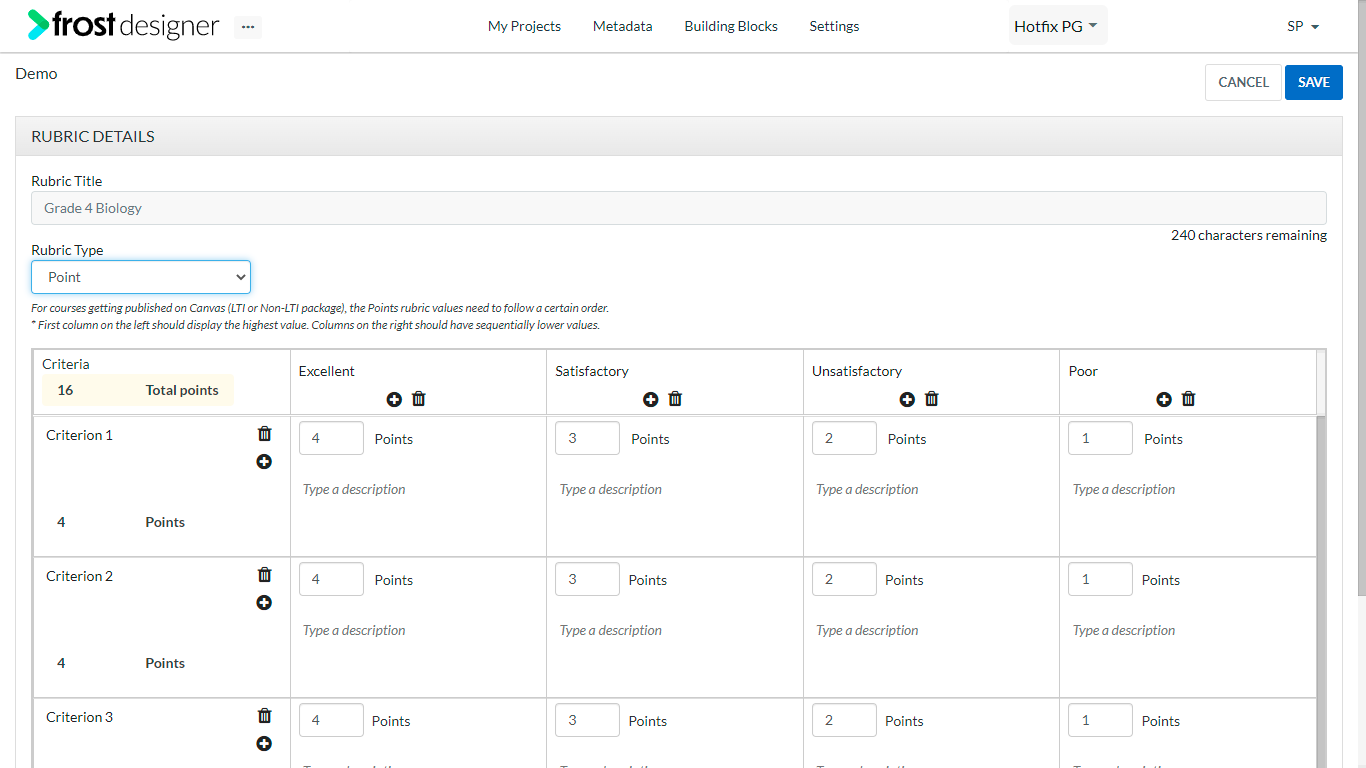
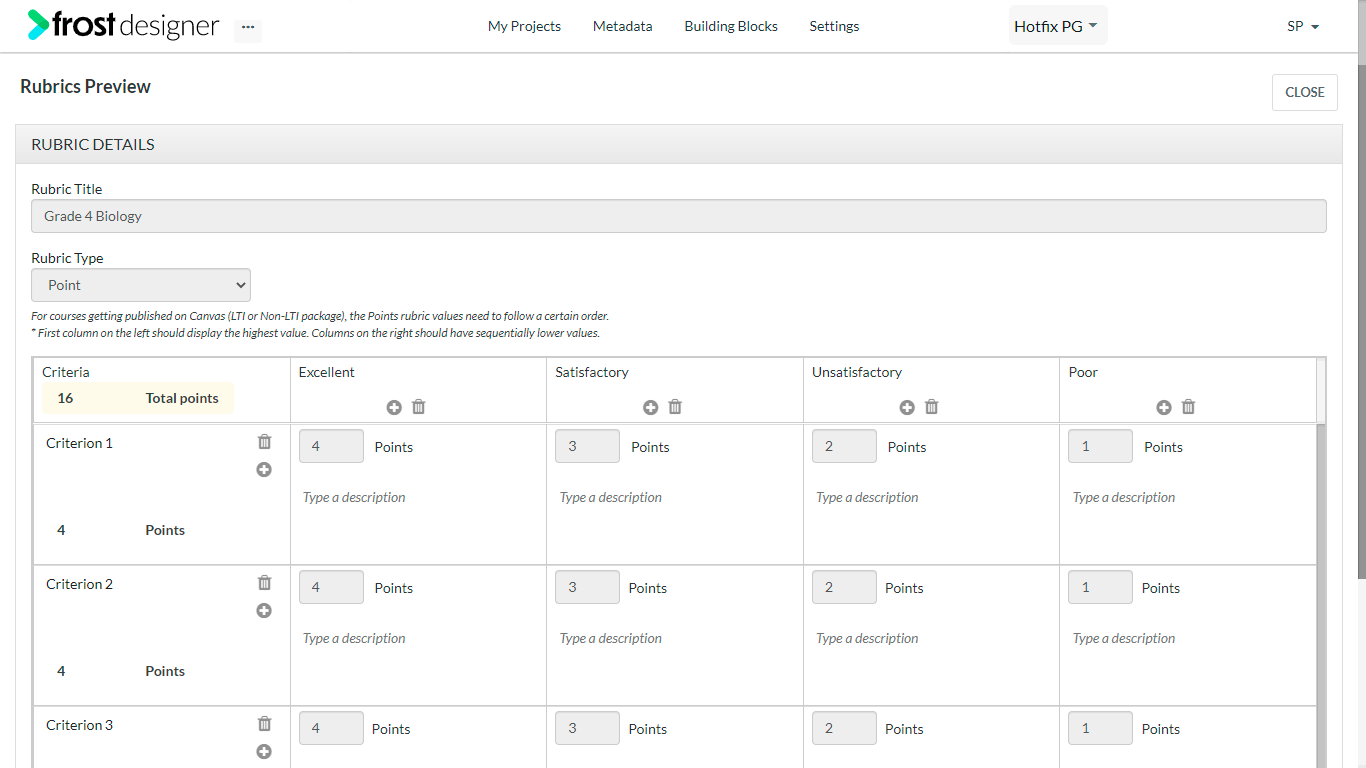
- On the Rubric Details form, enter the required details:
- Rubric Title – The name of the rubric (character limit of 255 characters)
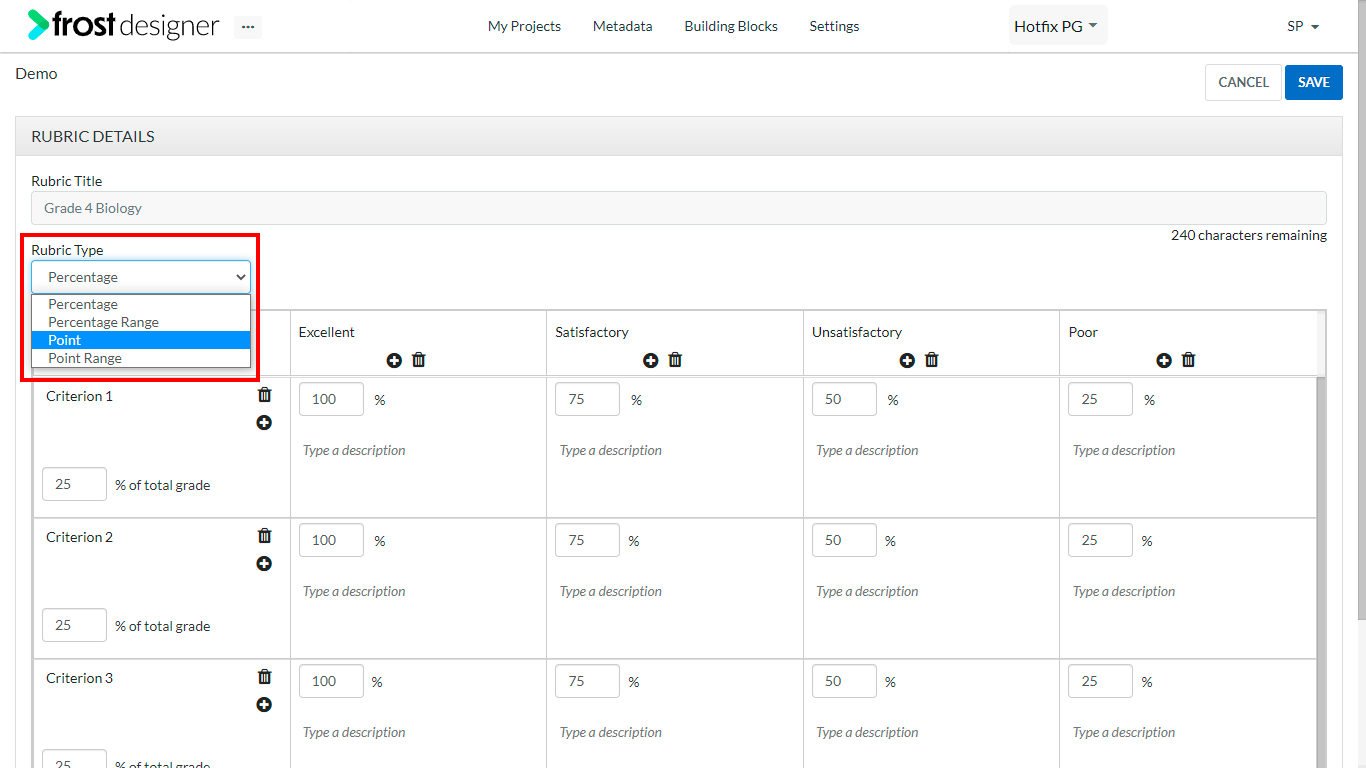
- Rubric Type – Select Point from the drop-down list
- Criteria – The first column lists the criteria
- Title – the name of criteria
- Total Points - sum total of all criteria in points
- Click the “+” icon against any criteria to create a new criterion below.
- To delete a criterion, click the delete icon on the criteria.
Notes: A maximum of 10 criteria can be added to a rubric. When new Criteria is added, the title will be “New Criterion” and an indication for the maximum number of points for that criterion will be displayed.
- Achievement – The first row lists the achievements.
- Title – the name of the achievement.
- Description
- Points – Value of achievement in points (by default 4).
- Click the “+” icon on any achievement to create a new achievement to the right.
- To delete an achievement, click the delete icon on the achievement.
Notes: A maximum of 10 achievements can be added to a rubric. On selecting point, the default number of criterion and the number of achievements will remain 4.
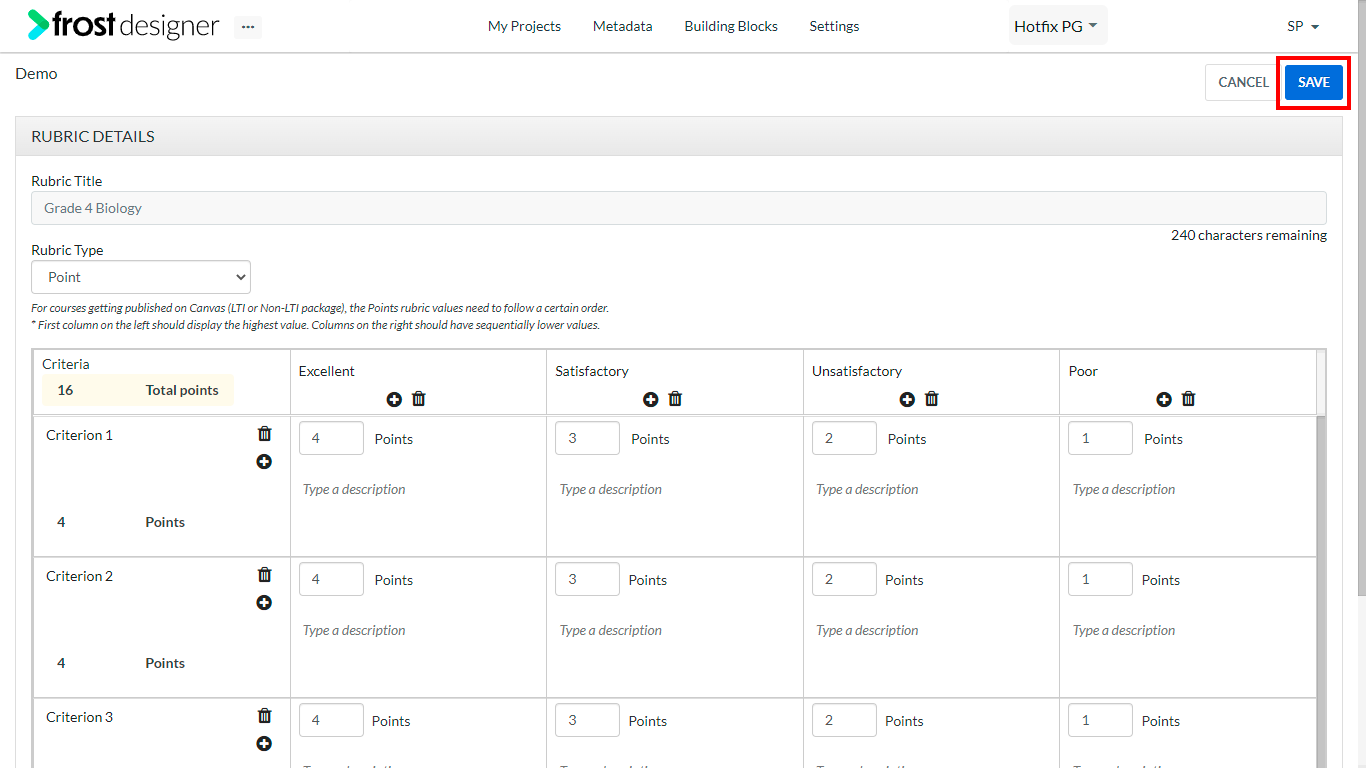
- After adding the required details, click Save button to create the new rubric.
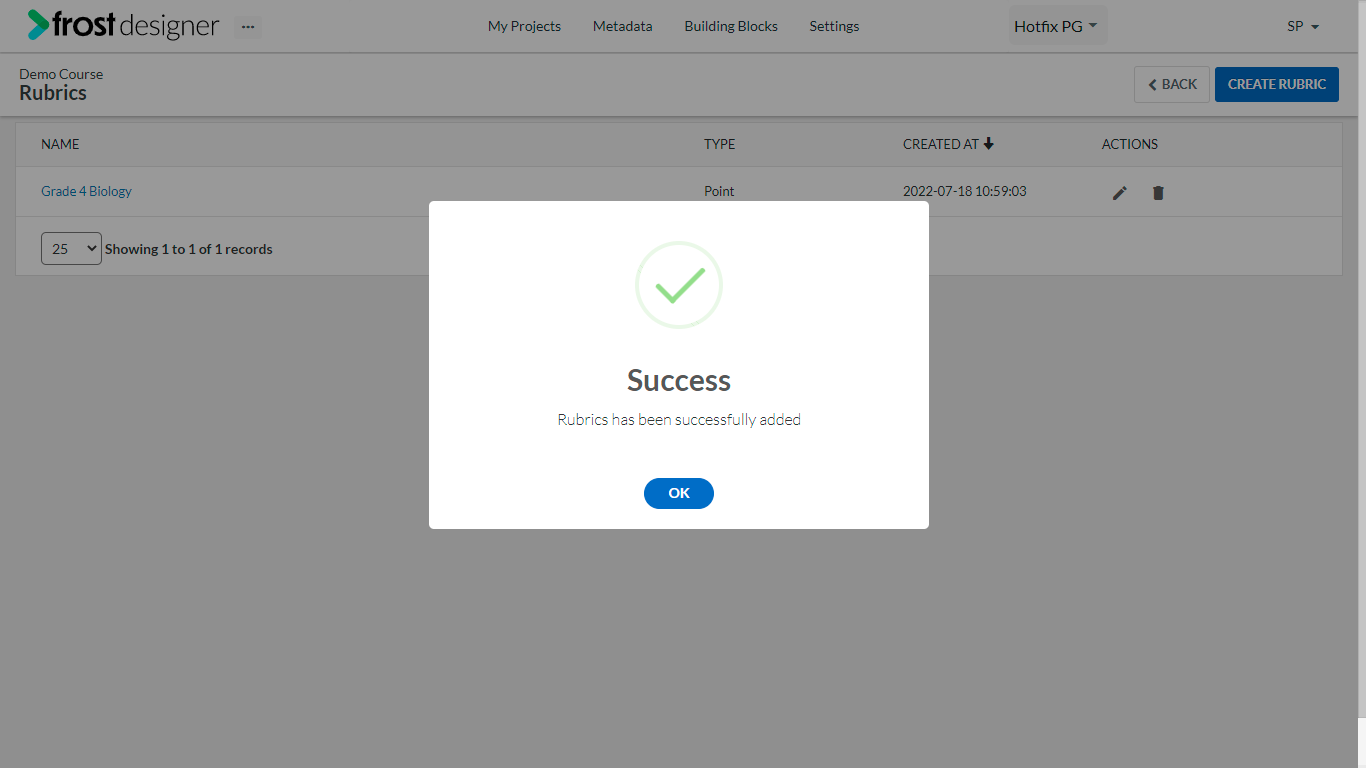
- On successful creation, a notification will be displayed on the screen.
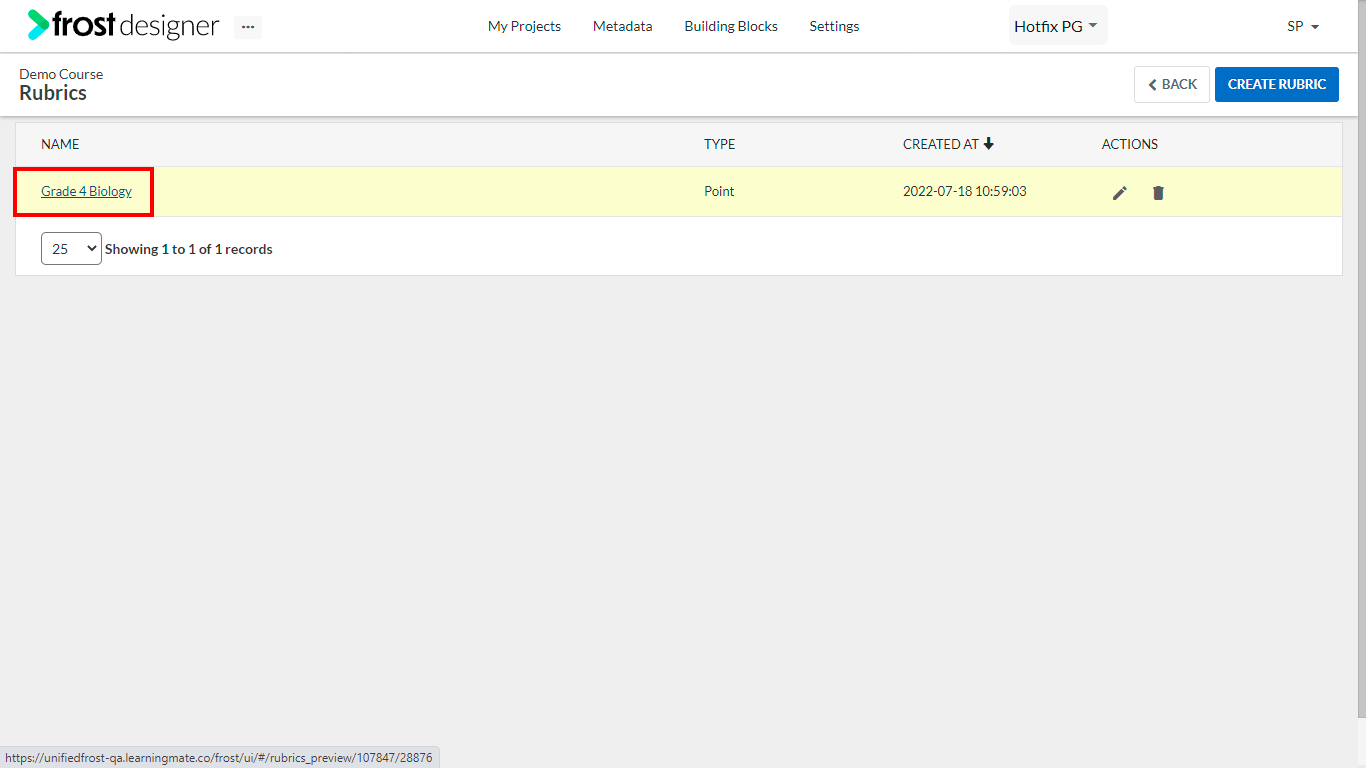
- Click the Rubric Name to preview the newly created rubric.
Notes:
- Point based rubric is supported in Canvas LTI and non LTI export packages and also in Canvas import to Frost Designer. Point rubrics is also supported in deep publish to Canvas.
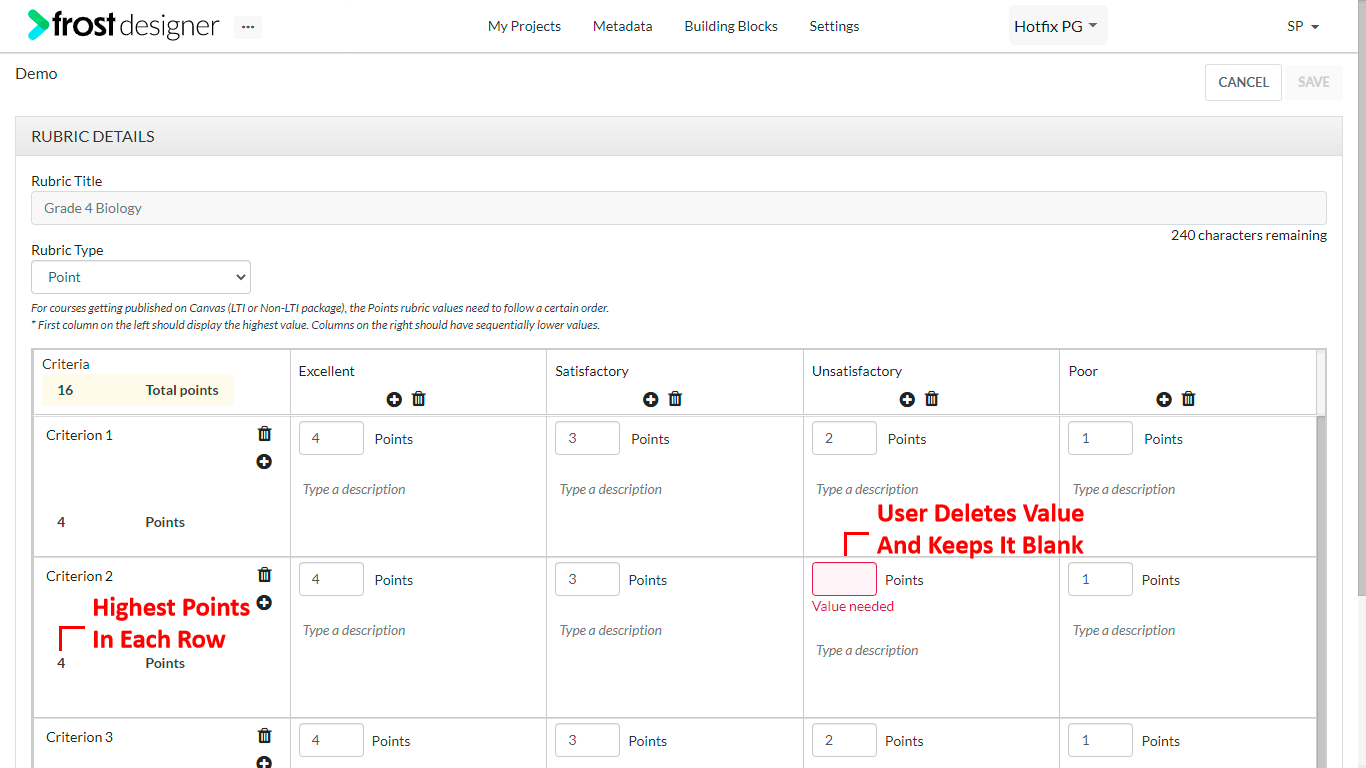
- For courses getting published on Canvas (LTI or Non-LTI package), the Points rubric values need to follow a certain order.
- The first column on the left should display the highest value. Columns on the right should have sequentially lower values.