How to Create Tags
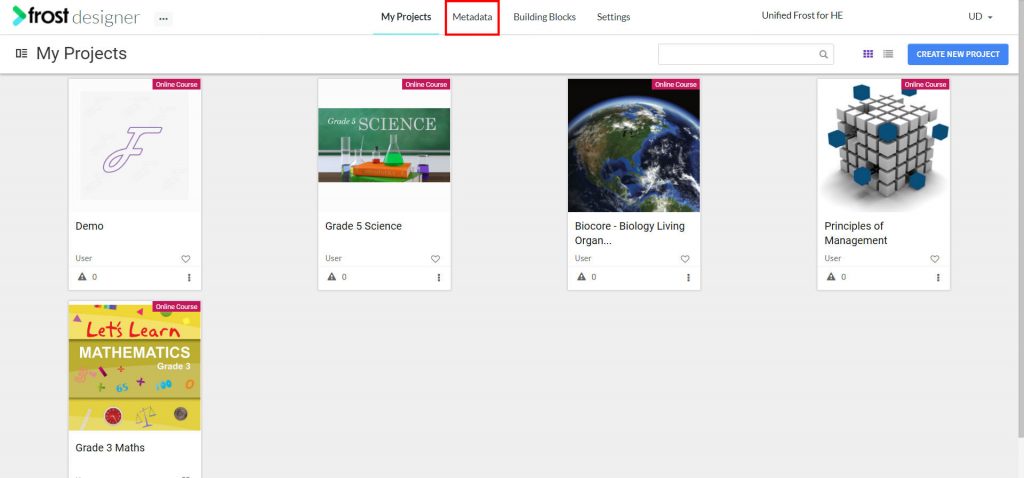
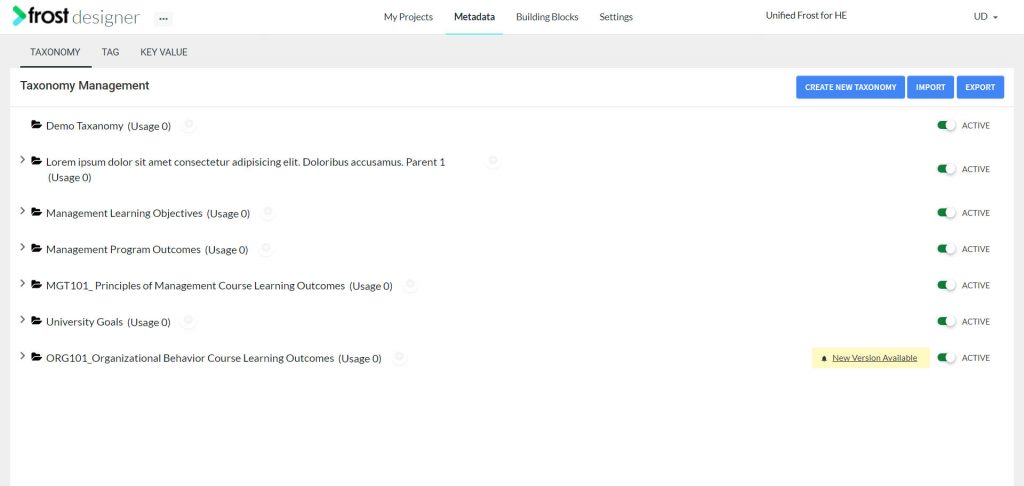
- From the Frost dashboard, click the Metadata option in the top menu of the screen.
Note: If you are working on a project page, you need to navigate back to the Frost landing page first.
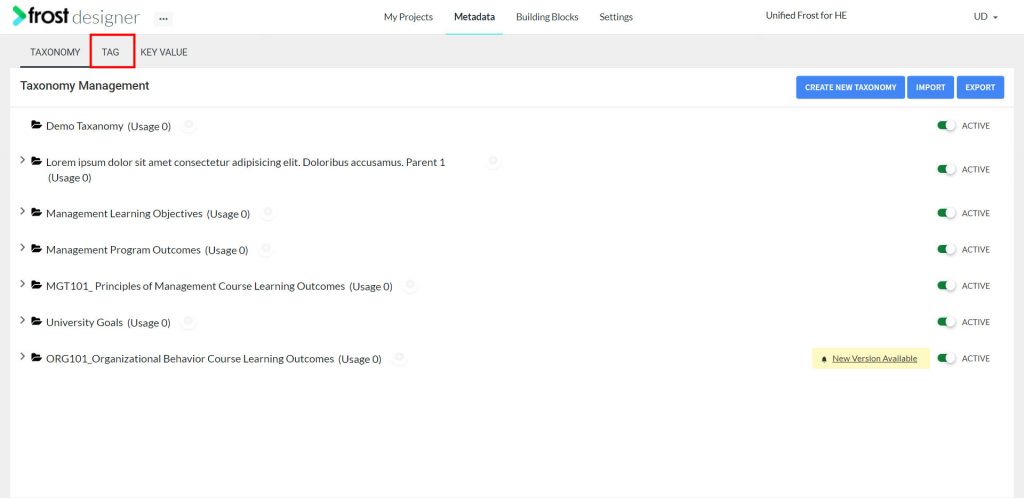
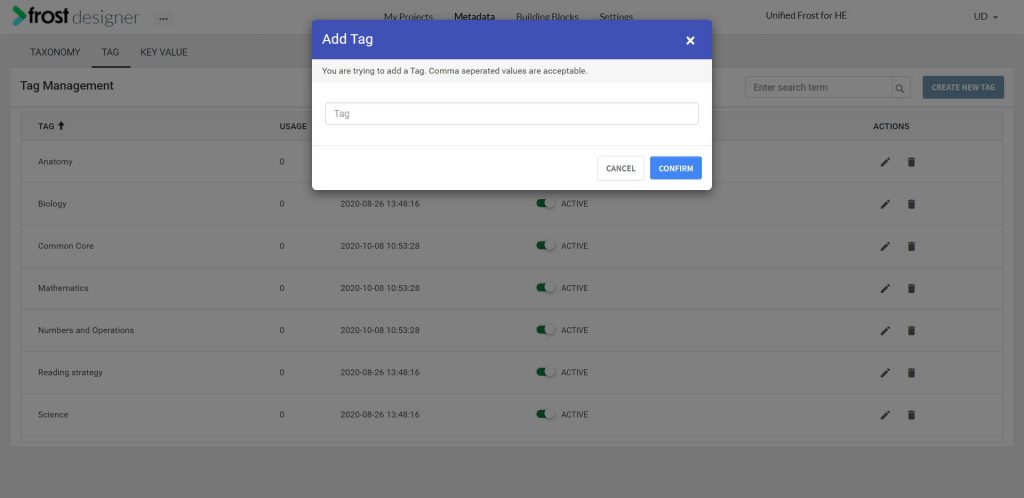
- From the Metadata dashboard, select the TAG tab to navigate to the Tag Management screen.
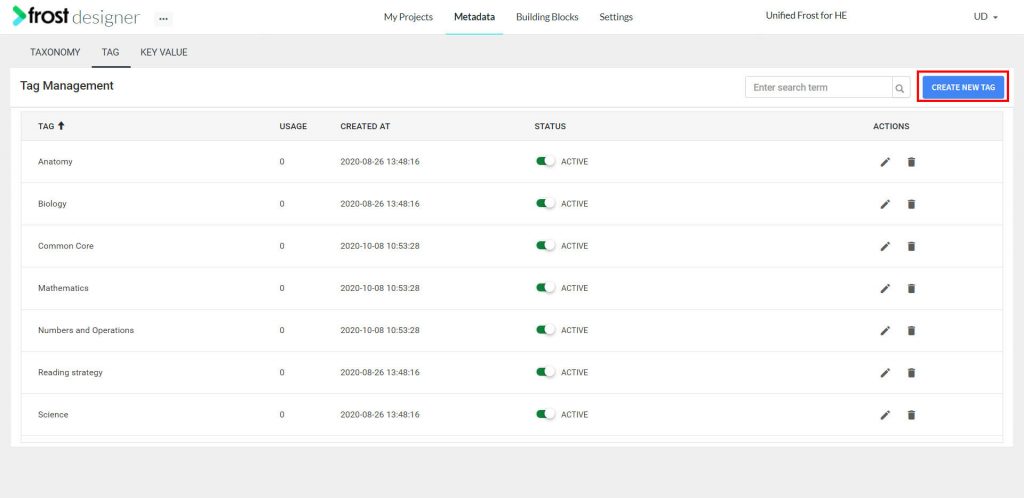
- Click the Create Tag button in the upper right hand corner of the Tag Management screen to open the Add Tag modal.
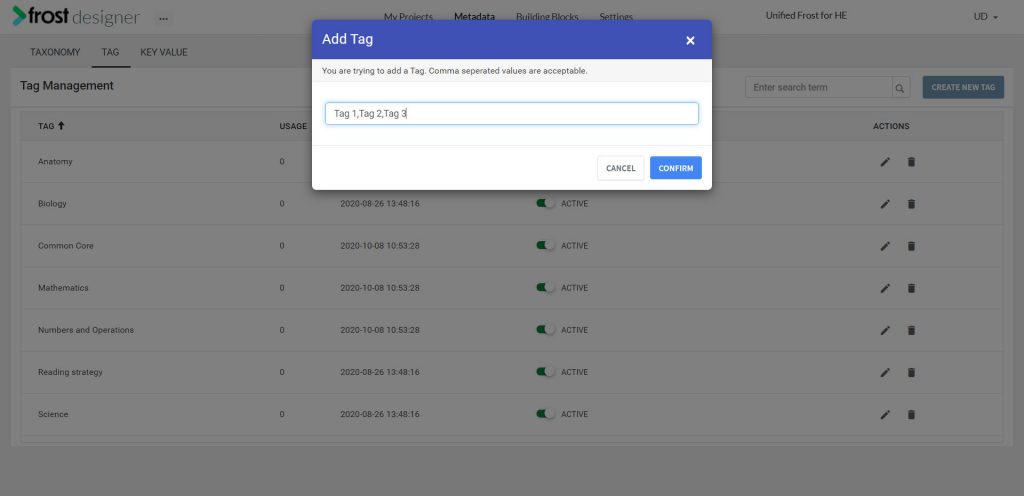
- From the Add Tag modal, you can add new tags by providing the Tag Name(s) and separating tag names with commas.
- Click Confirm.
Note: Multiple tags can be created at once. If a tag with the same name is already created then a new tag with the same name is not created.