Creating a Metadata
What is a Metadata?
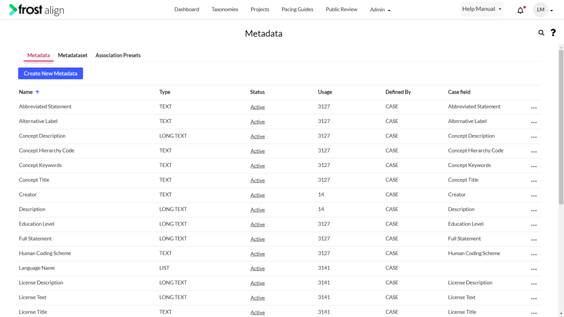
Taxonomy is a hierarchy of different metadata sets. Each node consists of a metadata set that has unique properties, for example, Metadata set ‘Chapter’ will consist of a ‘number’ and a ‘description’; which forms metadata, the lowest unit in a taxonomy. A metadata set is a set of metadata properties that constitute a unique characteristic. In this section, we will learn about managing Metadata and Metadata Sets. You can create metadata, group them and create a metadata set. Metadata properties are defined by IMS CASE framework, available as default and used to build new taxonomies. The Metadata section is under the Administration tab. The metadata section displays the list of recently created metadata properties alphabetically.
Metadata properties are of two types: Custom and CASE.
CASE Metadata – It already exists in Frost Align as part of the IMS CASE framework.
Custom Metadata – It allows you to create your own metadata property.
How to create a metadata?
- On the Frost Align login page, enter credentials.
- Click Log in.
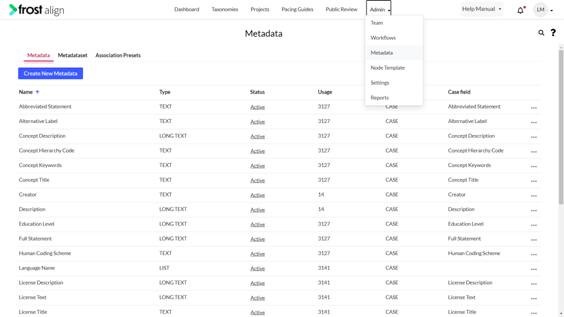
- In the top menu panel, select Admin dropdown, and select Metadata.
- The Metadata tab gets highlighted, select the tab.
- To create new custom metadata, select Create New Metadata.
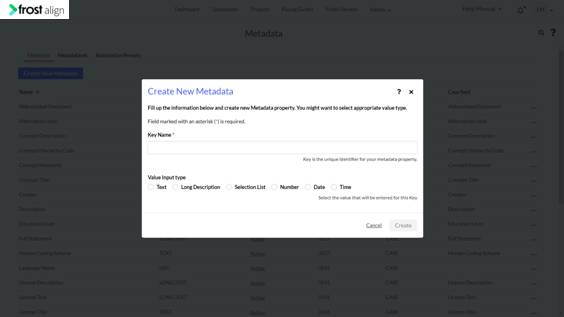
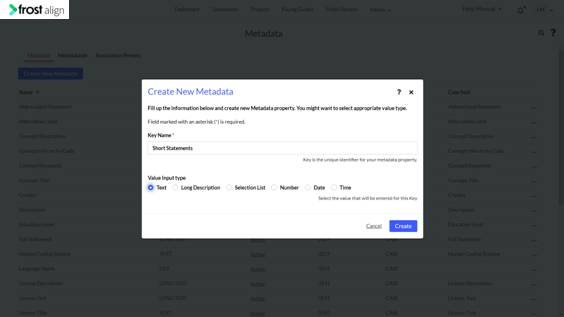
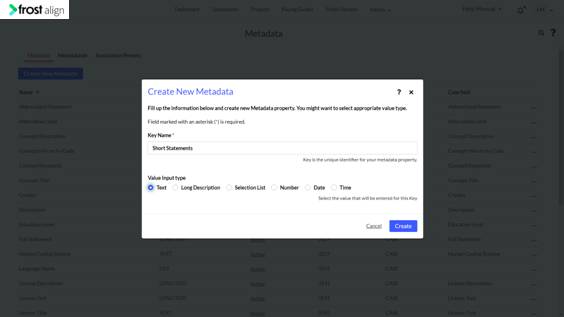
- The Create New Metadata pop-up window appears.
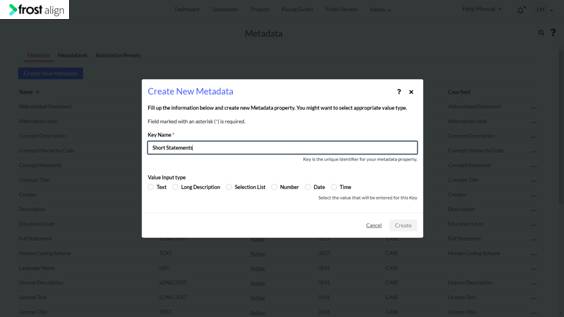
- Fill the following field. Key Name *: Add the name of metadata, for example, ‘Short Statements’. This is the unique identifier for the metadata property.
- Value Input Type: Select the type of your metadata from the options. ‘Text’ ‘Long Description’ ‘Selection List’ ‘Number’ ‘Date’ and ‘Time’. In this example, Text is selected.
- To complete creating the new metadata property, select Create.
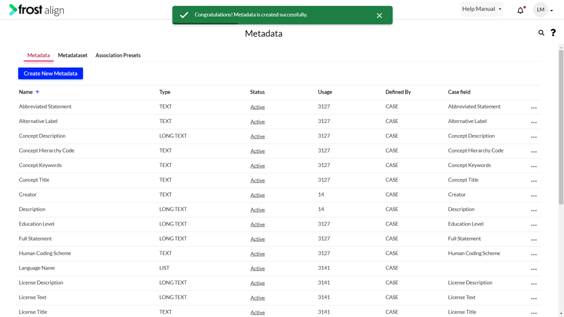
- Congratulations! Metadata is created successfully. message appears.
- The new metadata property appears as a Custom metadata on the Metadata section page.