Using the Reverse Association Feature
How to use the reverse association feature?
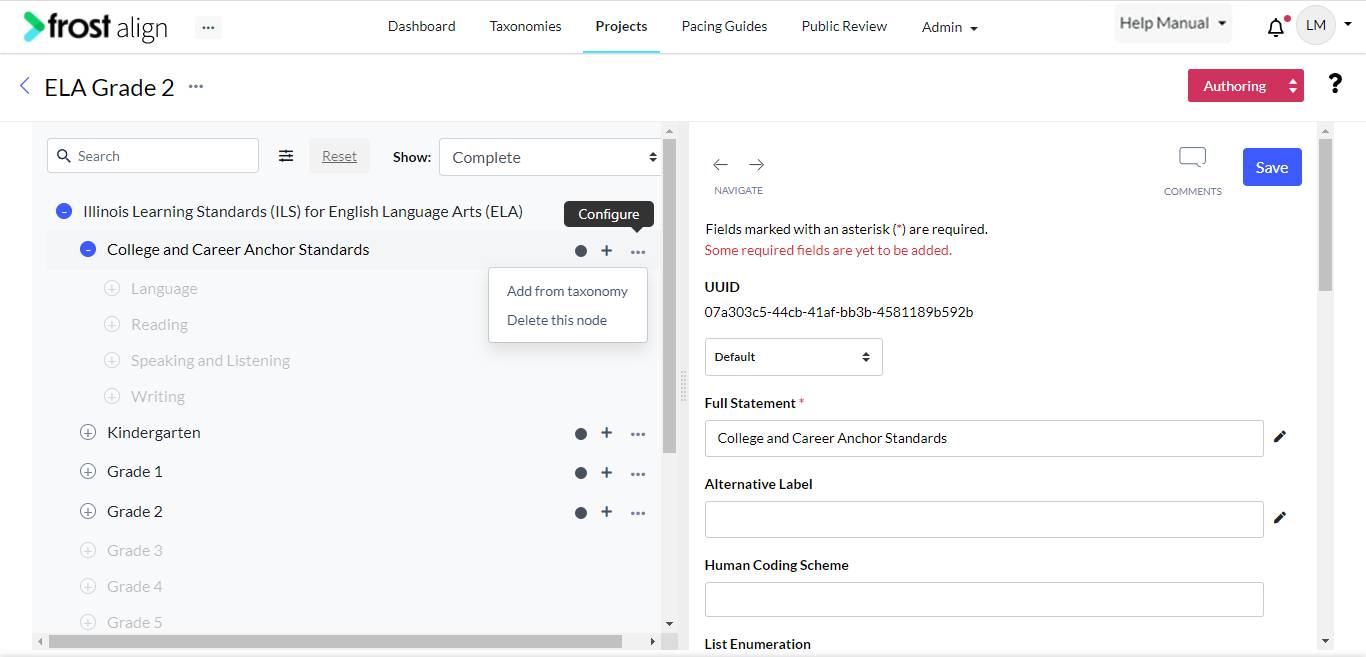
- On the home page, from the menu panel on the top, select Projects.
- From the Projects listing screen, select an existing one.
- Using the Add from taxonomy option, reach the next step.
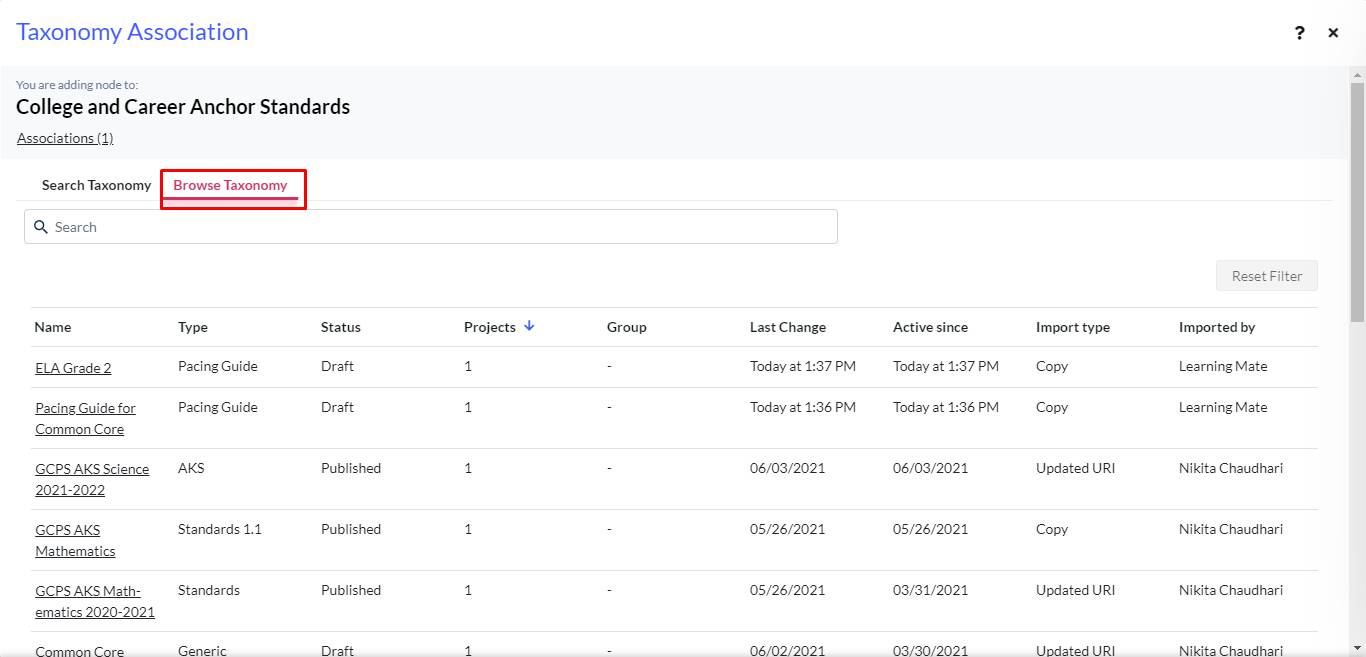
- Select Browse Taxonomy to view the listings. Select your choice of association.
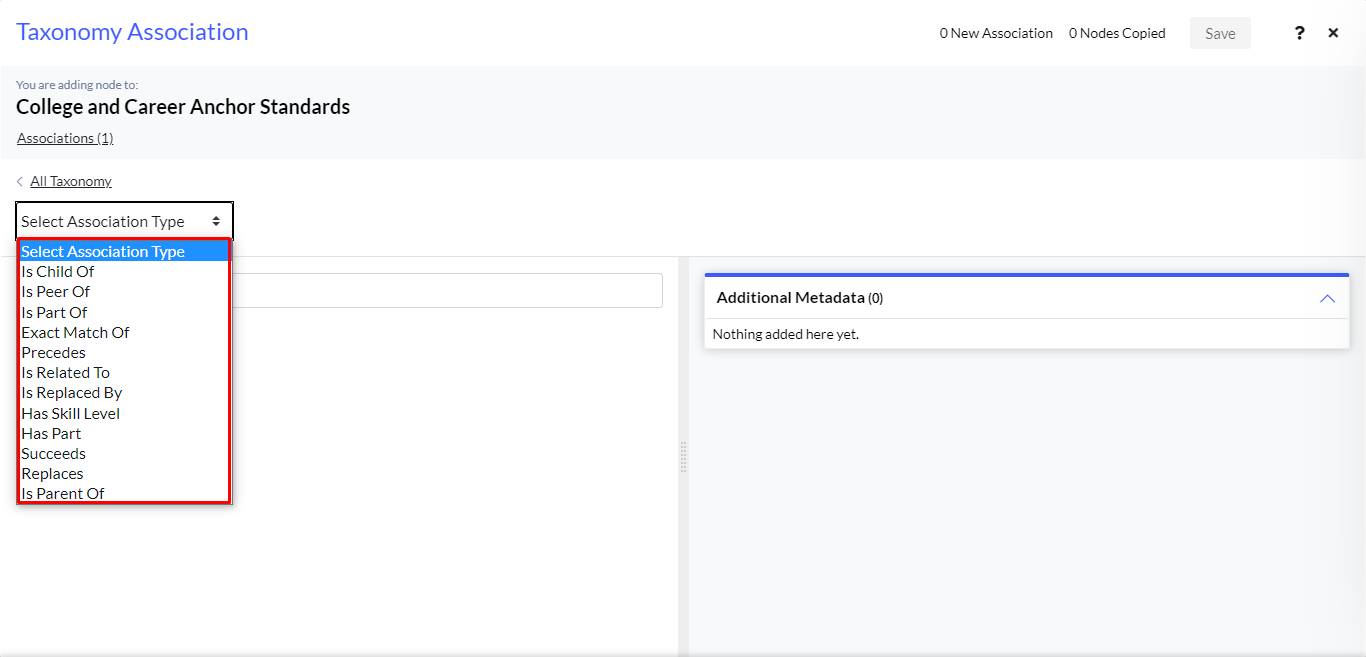
- From the Select Association Type list, choose Has Part, and complete adding the association.
- Check the list to confirm the association addition with the link node.
- Next, check for reverse association in the Taxonomy listing page. Reverse association will be created in the destination Taxonomy.
Note: Users can create reverse associations for Has Part, Succeeds, and Replaces.