Adding Association from Another Taxonomy
How to add association from another taxonomy?
- Login to access the application. Home screen is displayed.
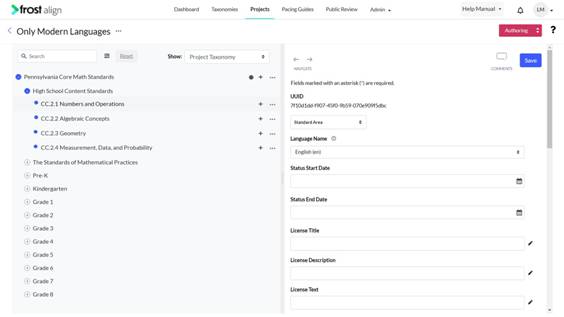
- From the top menu panel, click Projects.
Select the pencil icon.
Select any taxonomy to work on. - To add from taxonomy, click the ellipsis and select Add from taxonomy.
Note:
-
- Either select a taxonomy or browse for a taxonomy. This feature set compiles the ability to create an association, and also allows copying nodes from one taxonomy to the project.
- Search taxonomy: Users can search for the node that is specific which is based on the filter criteria.
- Browse taxonomy: Users can browse for a taxonomy by selecting a taxonomy via the listing screen.
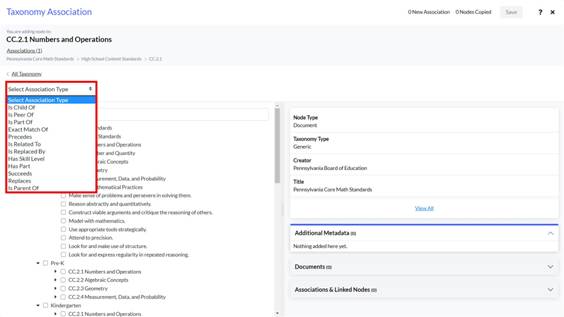
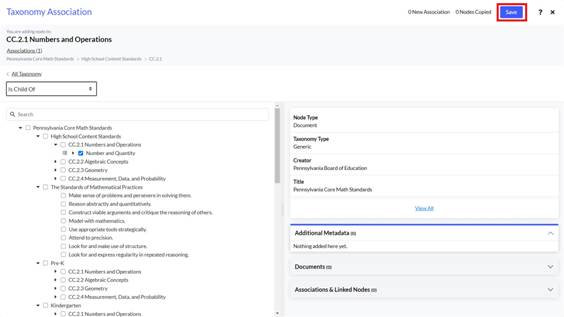
- Select Association Type from the dropdown and select the nodes associated with it. To save the changes, click Save.
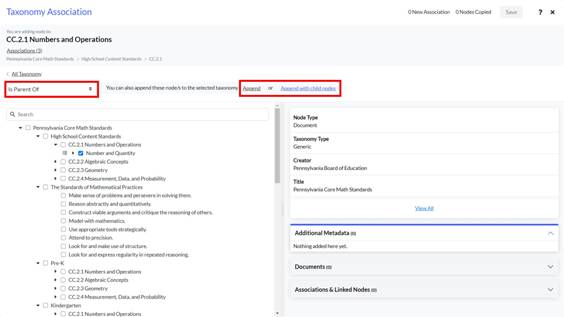
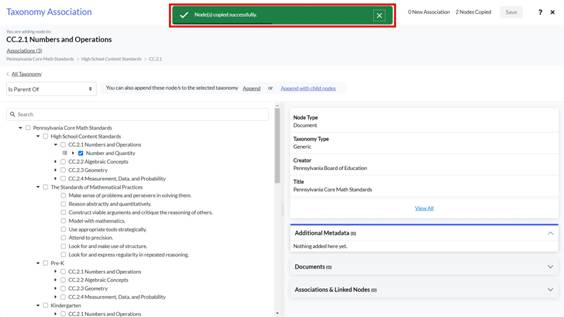
- To copy nodes or append nodes, select Is Parent Of association type from the dropdown.
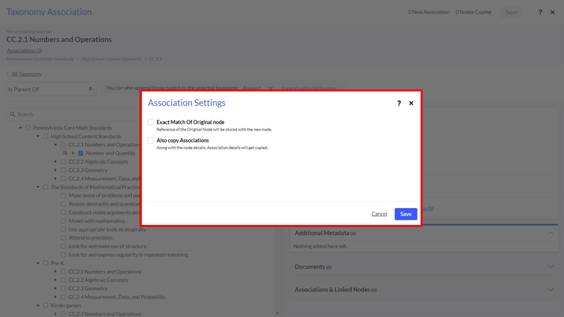
Select a node to append or append with child nodes. - User gets the option to select exact match of the original node and also copy associations and then click Save.
- Node(s) copied successfully. pop-up appears.
The nodes are copied successfully.
Note: Users can view the taxonomy, select multiple nodes to add association, go back and search again, add the association, and search within the list based on coding scheme, or title of the node.