Editing an Existing Case Server
How to edit an existing case server?
- On the Frost Align login page, enter credentials.
- Click Log in.
- On the Frost Align home screen, select Settings.
- On the Settings page, select the Case Servers tab.
- To edit any existing case server, select the ellipsis.
- Select Edit to continue making changes.
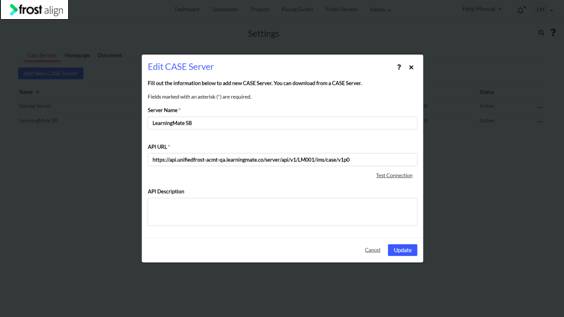
- The Edit CASE Server pop up appears. Edit the Server Name *, API URL * or the API Description, select Update. The Server details will now be updated.
Note: After editing the API URL, remember to check the test connection to enable the Update button.
- Alternatively, select Cancel if no updates are required. Or, click the X icon at the top right corner. Both these actions will take the user to the Home Screen.